Integrations > Podio Workflow Auotmation
Troubleshooting: PWA Authentication Failure

App Builder & Automation Expert
Stay Updated with ProcFu!
Subscribe to our newsletter for the latest tips, updates, and automation insights.
Subscribe NowOne common issue you might encounter is an authentication failure between Podio and PWA. This indicates a broken connection between the two platforms within ProcFu.
Related error messages:
- ERROR: Exception: GF Authentication Failure.
- GF Authentication Failure. Try disconnect and re-connect PWA. (ended up at https://workflow-automation.podio.com/)
- Invalid Credentials:
To fix this issue, you'll need to re-establish the connection between ProcFu and PWA. However, it's important to be aware of the following:
Disconnecting and reconnecting will invalidate the xpodioflow cookie stored in all existing PWA flows that utilize ProcFu bricks. This means you'll need to manually update the cookie within each affected flow.
Proceed with caution: Consider the potential impact on your workflows before disconnecting and reconnecting.
Here are the steps to follow:
- Log Out: Explicitly log out of PWA/GlobiFlow.
- Clear Sessions and Cookies: Clear your browsing session and cookies specifically for GlobiFlow.
- Log Back In: Log back in to GlobiFlow.
- Reconnect in ProcFu: Attempt to reconnect ProcFu and PWA within your ProcFu account.
If the issue persists, try connecting ProcFu and PWA within an incognito window of your browser. This can help rule out any potential conflicts caused by browser extensions or cached data.
Unknown Token
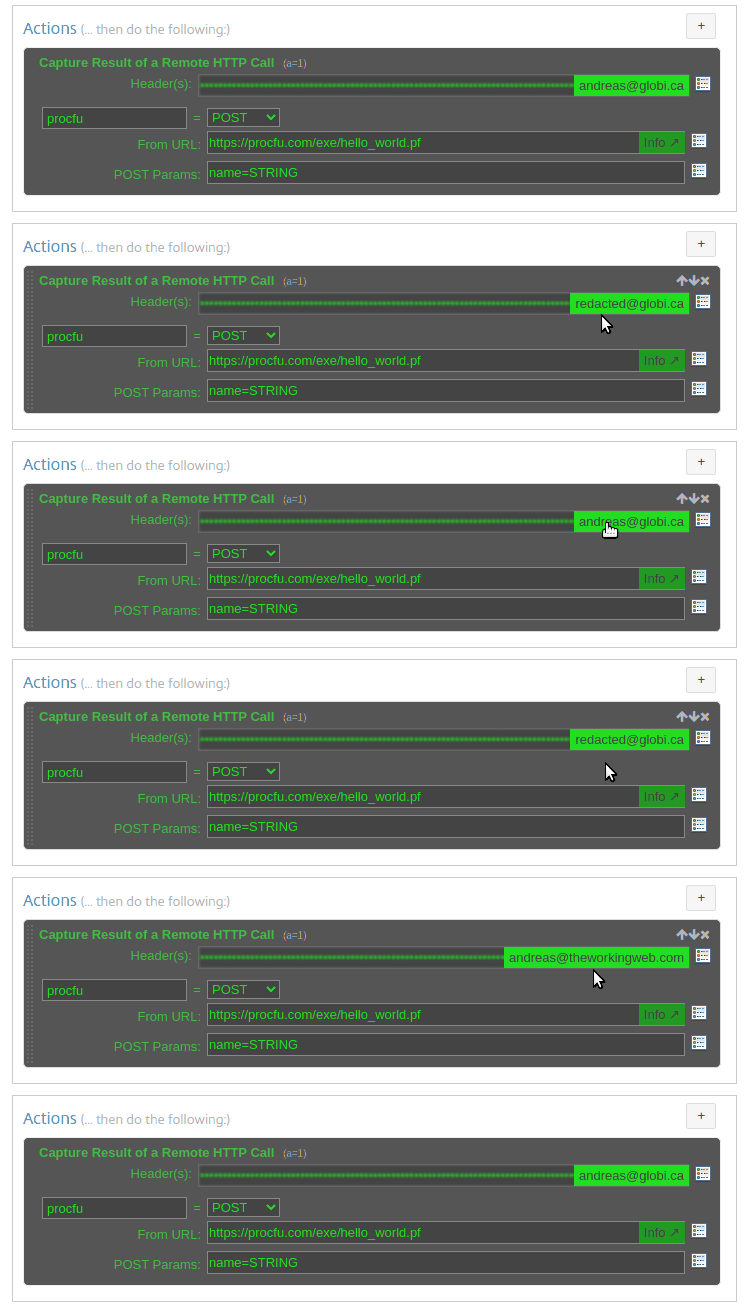
Another common issue is encountering an "Unknown Token" error. This typically indicates auth token in the header of the remote post action is not known to the chrome extension.
You can either choose to manually update the token in the remote post action header or you can cycle through the tokens by simply clicking on the email address.
Unknown Token

Another common issue is encountering an "Unknown Token" error. This typically indicates auth token in the header of the remote post action is not known to the chrome extension.
You can either choose to manually update the token in the remote post action header or you can cycle through the tokens by simply clicking on the email address.